Help
Asking your site manager a question
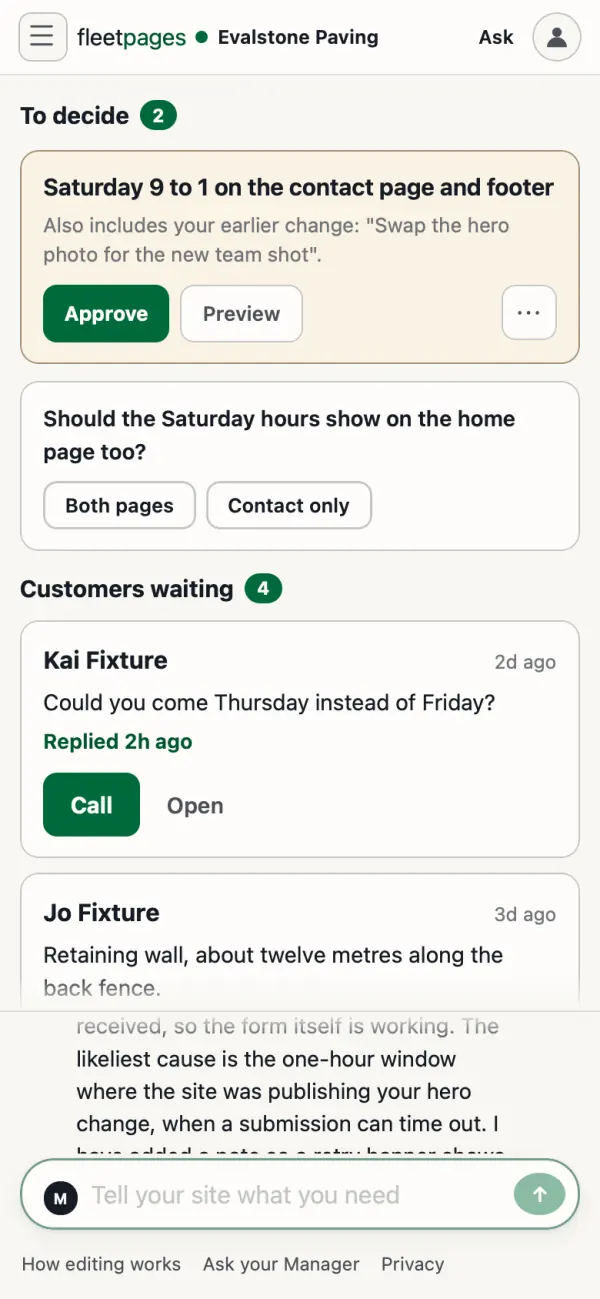
Your site manager answers questions about your site, not only changes. Asking changes nothing: your site only changes when you approve a preview.
Where to ask
- Dashboard: the box at the top of every page, or Ask your Manager at the foot.
- Your site: the message box in the panel, "Ask, or describe a change".
- Email: reply to any email from your site manager.
It is the same conversation everywhere.
Things to ask
- "What changed on my site this month?" It reads the record of recent changes and says which version is live.
- "Is anything waiting for my approval?" It checks every preview still waiting for you.
- "How many enquiries did I get this week?" It gives counts by week, month and page. Names and messages are on your dashboard's Enquiries page.
- "Which pages still mention our old address?" It searches your site's pages for those words.
- "What did I tell you about the Christmas closure?" It searches your whole conversation, old messages included.
Your enquiries has more on enquiries.
See it yourself
- History, under Your site: every change made to your site.
- Ideas, under Growth, if your dashboard has it: ideas your site manager has raised for your site, to take up or set aside.
Stuck? Ask your site manager, or email hello@fleetpages.au.